
Selecciona el idioma y la moneda con los que deseas navegar

Selecciona el idioma y la moneda con los que deseas navegar
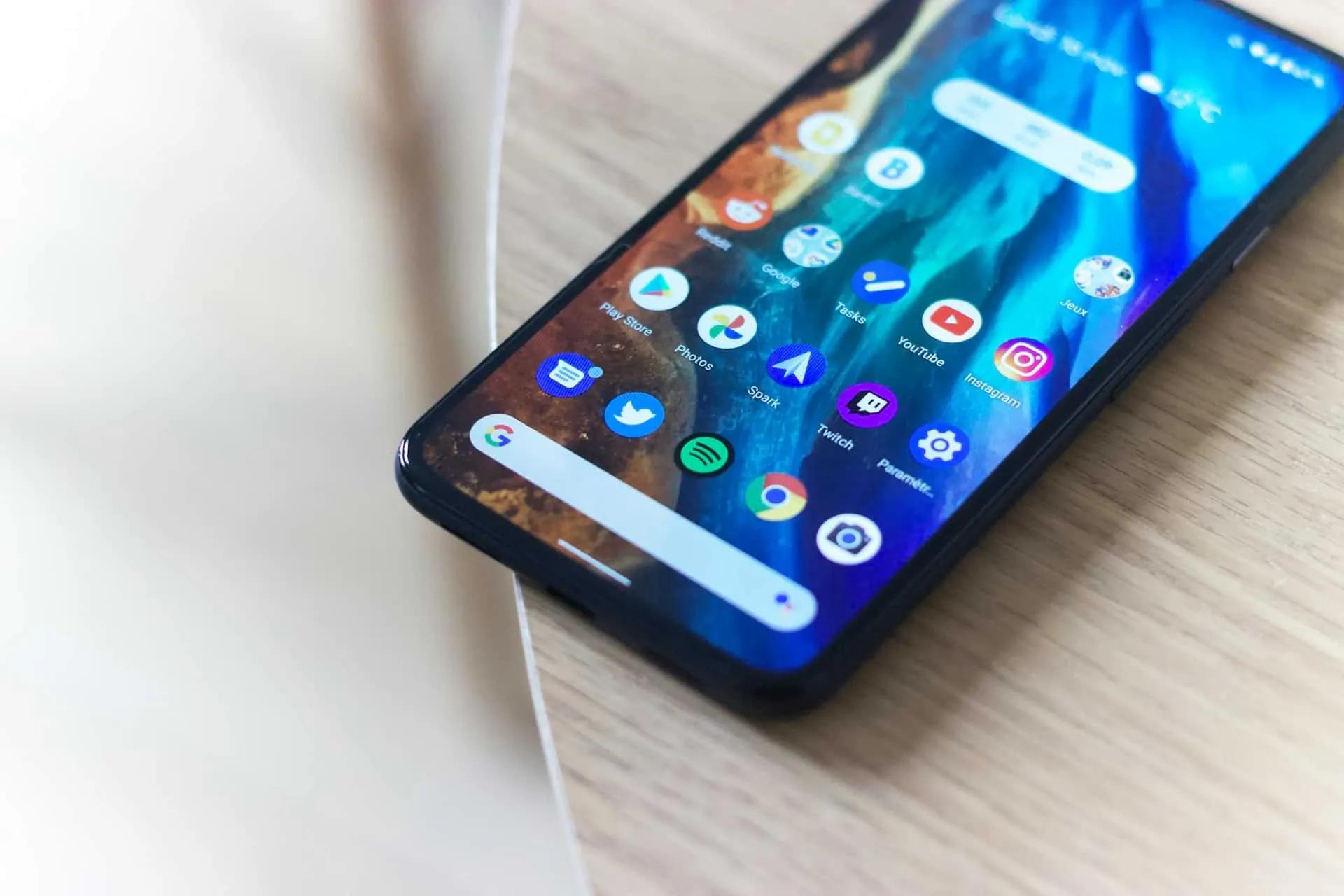
eSIM Installation and Activation Guide
Brand:

Make sure you have a stable internet connection before starting the installation, ideally using a Wi-Fi network or a strong 4G/5G signal.
Before traveling (installation):
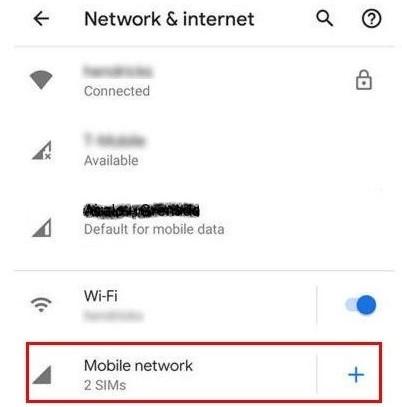
Open "Settings"on your mobile device
In Settings, search for and select the 'Networks & Internet' menu or something similar. Depending on the device, this option may be under 'Connections', 'Wireless & Networks', or others. Then go to 'Mobile Network'.

Find the menu to manage your SIMs
Look for an option like 'SIM Manager', 'SIM Cards', 'SIM & Networks', or 'Mobile Plans', and select that option.
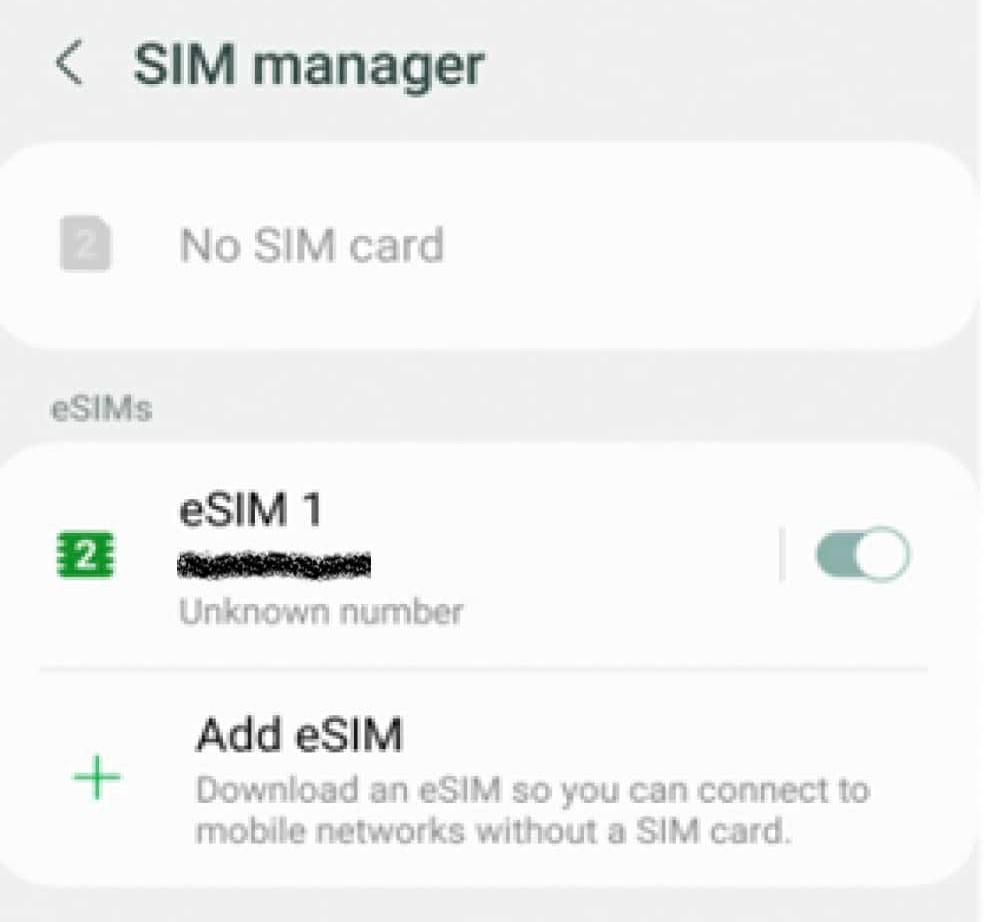
Add an eSIM profile
Depending on your device, you may find an option like 'Add Mobile Plan', 'Add eSIM', or similar. Select this option.
Scan the QR code you received via email
Scan the QR code we sent you via email and wait for your device to complete the installation process.
Follow the on-screen instructions
If it asks you to assign calls and messages, assign them to your primary SIM. Only assign mobile data to the DatosdeViaje eSIM.
Turn off the eSIM before traveling
If you are not traveling yet, we recommend deactivating the eSIM, and activating it once you arrive at your destination.
To activate or deactivate your eSIM, go to the menu where you added it, select the eSIM, and find the button to turn it on or off.
Upon arriving at your destination (activation):
Upon arriving at your destination
Turn off your primary SIM to avoid unwanted charges from your local provider and turn on the DatosdeViaje eSIM.
Enable Data Roaming IMPORTANT!
Make sure 'data roaming' is turned on. You can find this option in the eSIM menu (where you activate it) or in the 'Mobile Networks'/'Mobile Plans' menu.
If you can’t find this option, use the settings search tool to find 'Roaming'.
After your trip
Re-enable your primary SIM, and you can deactivate or remove the DatosdeViaje eSIM.
We recommend not removing the eSIM so you can top it up for your next trip, avoiding the need to reinstall a new eSIM.
How to top-up your eSIM if you run out of data
If you registered an account with us:
If you did not register an account with us:
Teléfonos Compatibles Android
Asus ROG Phone 9
Asus Zenfone 12 Ultra
DOOGEE V30
Fairphone 4
Fairphone 5
Gemini PDA
HAMMER Blade 3
HAMMER Blade 5G
HAMMER Explorer Pro
HMD Skyline
Honor 200
Honor 400
Honor 600
Honor 90
Honor Magic 4 Pro
Honor Magic 5 Pro
Honor Magic 6 Pro
Honor Magic 7 Lite
Honor Magic 7 Pro
Honor Magic 8 Lite
Honor Magic 8 Pro
Honor Magic V6
Honor X8
Honor X9c
Huawei Mate 40 Pro
Huawei P40
Huawei P40 Pro
Huawei Pura 70 Pro
Huawei Pura X Max
Infinix Note 60 Pro
Infinix Note 60 Ultra
Microsoft Surface Duo
myPhone NOW eSIM
Nokia G60
Nokia X30
Nokia XR21
Nothing Phone 3
Nothing Phone 3a Pro
Nothing Phone 4a Pro
Nuu Mobile X5
OnePlus 11
OnePlus 12
OnePlus 13
OnePlus 15
OnePlus Open
Oukitel WP30 Pro
Oukitel WP33 Pro
Rakuten Big / Big S
Rakuten Big S
Rakuten Hand
Rakuten Mini
Realme 14 Pro+
Realme GT 7
Realme GT 8 Pro
Sharp Aquos R7
Sharp Aquos R8
Sharp Aquos Sense4 Lite
Sharp Aquos Sense6
Sharp Aquos Sense7
Sharp Aquos Sense8
Sharp Aquos Wish
Sharp Aquos Wish 3
Sharp Aquos Wish2 SHG08
Sharp Aquos Zero6
Sharp Simple Sumaho 6
TCL 50 5G
TCL 50 Pro NxtPaper
TCL 60 XE NxtPaper
TCL NxtPaper 60 Ultra
TCL NxtPaper 70 Pro
Tecno Camon 50 Ultra
Vivo V29
Vivo V40
Vivo X100
Vivo X200
Vivo X300
Vivo X80 Pro
Vivo X90 Pro
Xiaomi 12T Pro
Xiaomi 13
Xiaomi 14
Xiaomi 15
Xiaomi 17
Xiaomi Black Shark 3
Xiaomi Poco X7
Xiaomi Poco X8 Pro Max
Xiaomi Redmi Note 13 Pro+
Xiaomi Redmi Note 14 Pro
Xiaomi Redmi Note 14 Pro+
Xiaomi Redmi Note 15 Pro
Xiaomi Redmi Note 15 Pro+
Xiaomi Redmi Note 17
Xperia 1 VIII
Xperia 10 VII
Xperia 5 V
Xperia Ace III
ZTE Nubia Flip





Creado por personas que aman explorar.
Copyright © 2024 DatosdeViaje ® Todos los derechos reservados.

Usamos cookies para ofrecerte un mejor servicio y experiencia. Para más información, visita nuestra política de cookies.